
Meta Muse Instagram AI: Should You Use It?
You’ve probably seen Muse mentioned somewhere online this week. Or someone mentioned the new Instagram AI and you’ve wondered if it’s a tool you should be using, too. Let’s break down what it is and what it can do so you can decide for yourself!
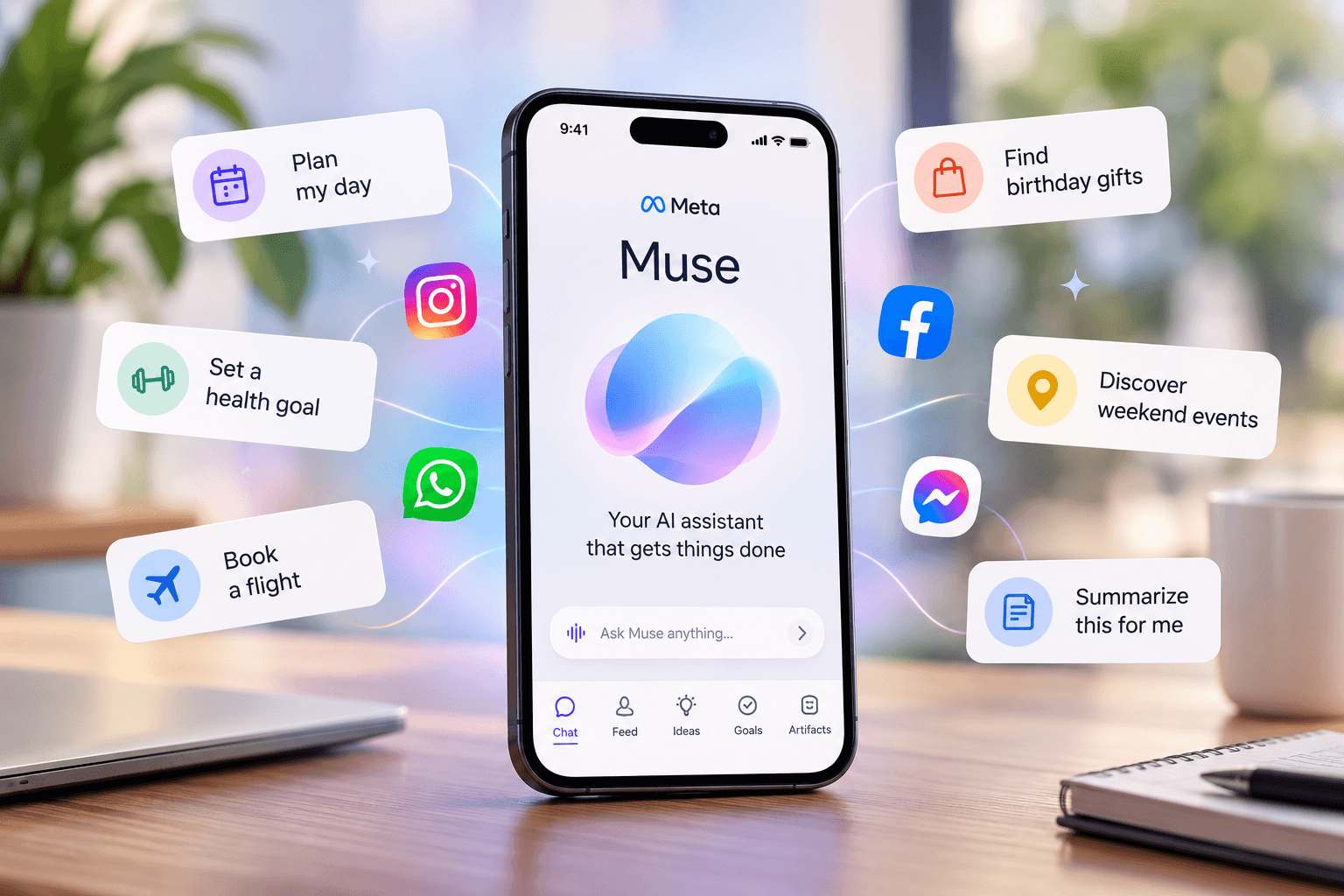
Muse is Meta’s personal AI agent. It can help you do things like set a health goal, book a flight, scope out weekend events and reserve them for you, and, if you connect apps, work across your email, calendar, Instagram, and more.
It’s basically a “helper” on your phone (not a replacement for your ad strategy, and definitely not a marketing team!). If you are curious about it though, it is worth knowing what it can do before you hand it the keys.
Table of contents
Why is everyone talking about Muse right now?
How can you use Muse for Instagram?
What is Muse for Small Business?
Do I need to use Muse for my business?
Can an agency manage Muse for me?
How to turn off Meta AI features
When does an agency still help?
FAQ: Common questions about Muse
Ready for Instagram that actually supports your business?
Why is everyone talking about Muse right now?
Because the download buzz got loud, really, really fast. Industry coverage put Muse past roughly 5 million downloads in about 22 days after its U.S. launch. Muse is available in the U.S. and Canada.
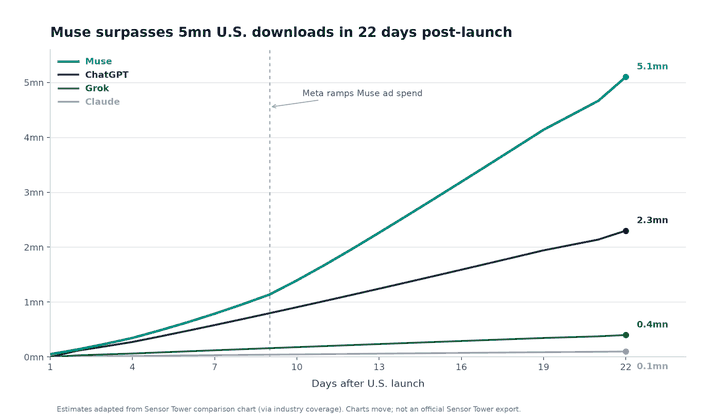
Custom chart adapted from Sensor Tower estimates of Muse U.S. downloads vs ChatGPT, Grok, and Claude in the first 22 days after launch.
(There is a fun branding subplot going on here too. Meta’s agent claimed the @muse Instagram handle, and the rock band Muse had to switch over to @museband.)
What matters the most here for you is that people in your market are trying an AI next door to Instagram. Decide if you’ll try Muse for your own personal tasks or skip it. It is optional, and your strategy and paid Instagram ads don’t depend on it.
What is Muse, exactly?
Think of Muse as Meta’s answer to “don’t just give me an answer, do something!” It is a product-specific agent inside of Meta’s world. For a broader first-person take on AI agents in general, see our earlier blog on AI agents and what they can do.
Instagram’s own introduction describes Muse as a personal AI agent that helps with goals and ideas. It can browse the web, research and compare options, draft emails, schedule your content and events, follow up from a single thread, and connect to apps you already use.
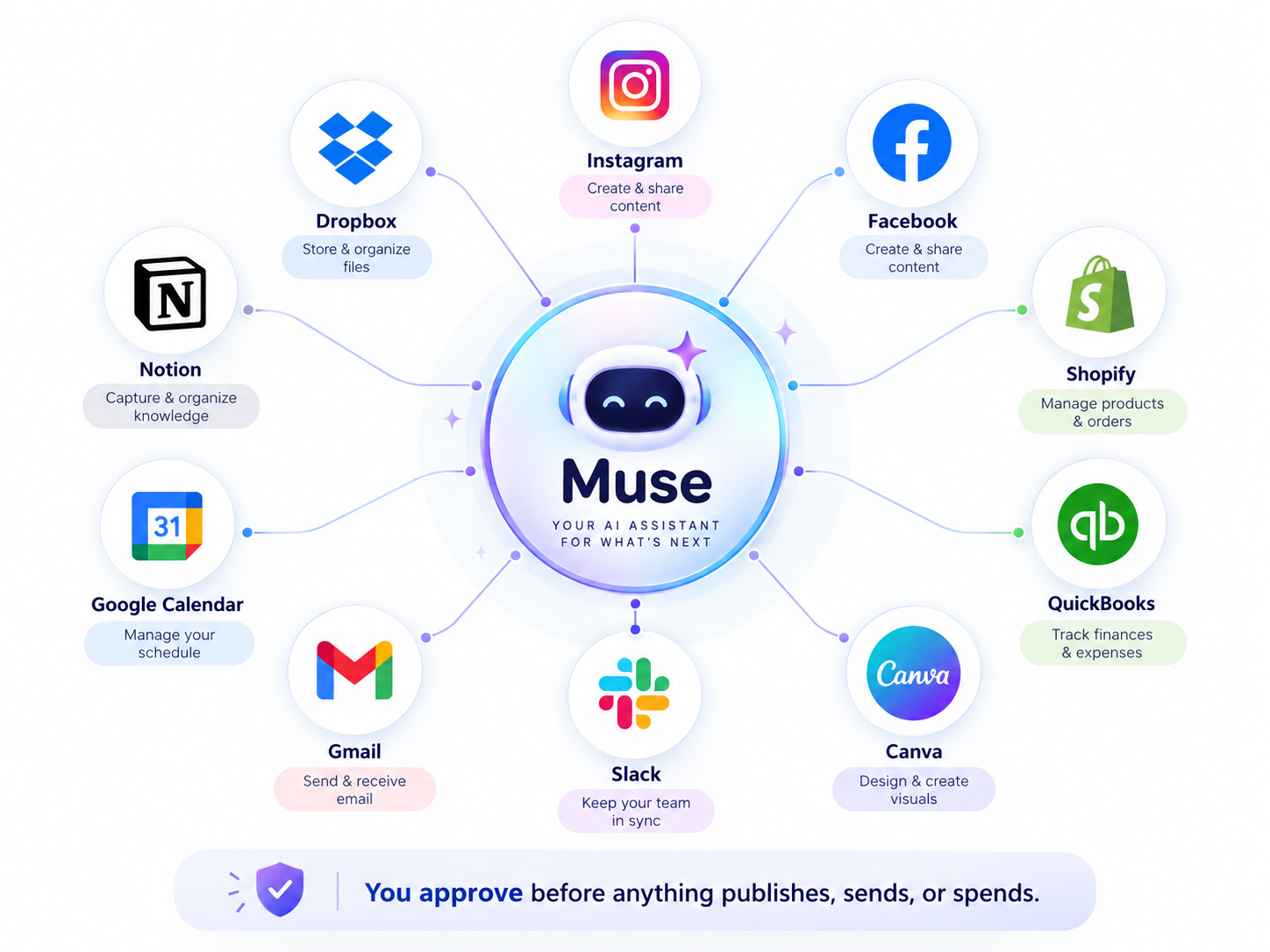
Meta also markets agent-style actions like shopping, forms, and booking travel, with you choosing connector access. In late September, Meta added business connectors like Shopify, QuickBooks, Canva, and Slack. (Muse can help analyze and draft ads, but you approve every dollar, and it doesn’t replace an ad strategy!)
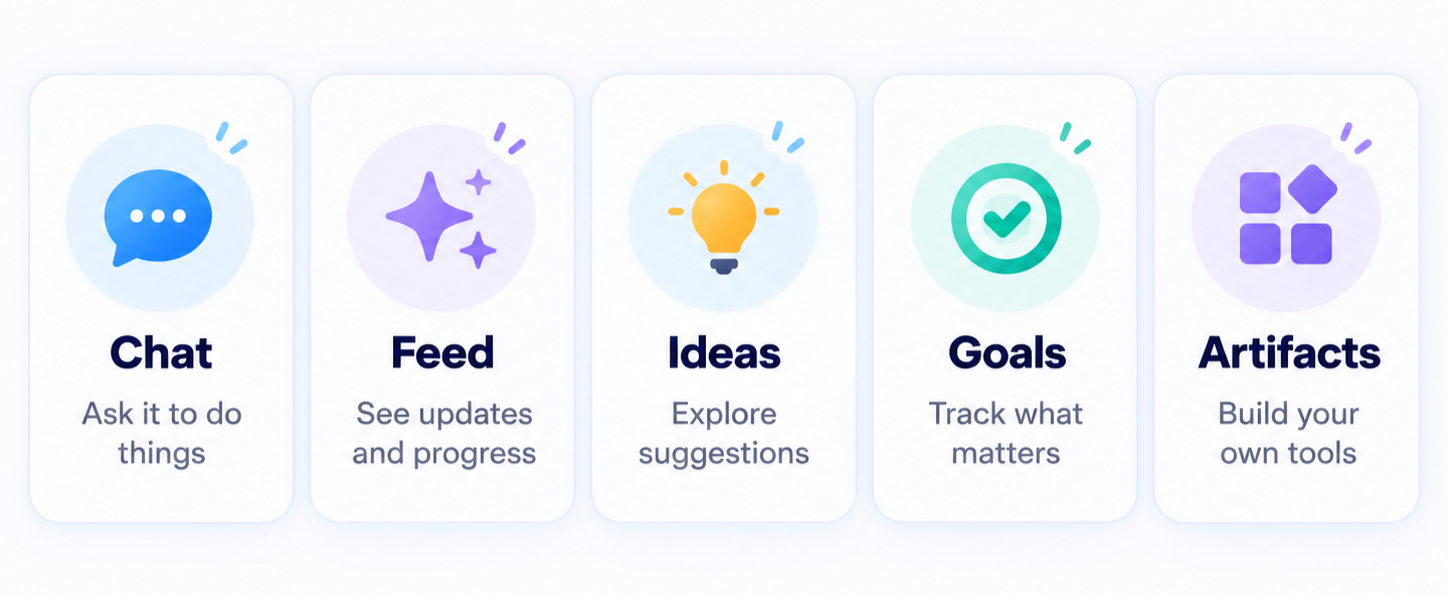
It is free for most everyday use, Meta has noted subscription tiers for heavier use, and it shows up as a dedicated app on your phone, with five tabs. Let’s talk about those.
How do Muse’s five tabs work?
Chat
Chat is the main conversation space. You give Muse a task, and it can browse the web, research shopping options, write your emails, and follow up with you.
Example: “Help me set a realistic health goal for the next month.” Or: “Find weekend events near me and hold two options on my calendar.” Or, if you connect Instagram: “Draft three caption options for this weekend’s specials.”
You can treat Chat like a junior assistant, just not your brand manager. Ask for options. You approve.
Feed
Useful if you save a lot of ideas and never act on them! The Feed is Muse’s personalized home tab. It shows updates, recommendations, and reminders tailored to your interests, your goals, and any apps you’ve connected.
Ideas
Pick one goal (“train for a 5K,” “plan a weekend trip,” or “post three times a week”) and let Ideas show you prompts. Instead of leaving you with no idea what to type or come up with for yourself, this tab suggests ideas and sample prompts that show what Muse can do for you.
Goals
Tell Muse what you’re working toward and it nudges you with personal goals, reminders, email checks, and to-do lists (and content calendars or caption copy for review if that’s what you asked for).
*Meta Muse can help you plan, build, and organize an Instagram content calendar, but it cannot natively publish or schedule posts on its own without a third-party connector.*
Artifacts
Describe a missing tool and Muse builds it! Think dashboards, trackers, planners, and even custom mini-apps. Maybe you want a trip planner, a habit tracker, an event shortlist, or a posting calendar if you use Muse for Instagram. Connectors with Muse (email, calendar, Instagram, etc.) can also use your real dates, messages, and posts to make those tools more useful.
What you can use Muse for
You can… | What that looks like |
|---|---|
| Shop with Muse | Compare products, fill checkout forms, and help book travel or appointments when apps are connected
|
| Create with Muse | Turn a messy idea into a caption, email, packing list, or short script you can edit
|
| Get inspiration from Muse | Scroll a Feed and Ideas tab shaped by what you’ve already told Muse you care about
|
| Stay on track with Muse | Set a goal, get nudges, and keep a simple calendar or to-do list in one place
|
| Research with Muse | Ask it to browse options, summarize what it finds, and keep the thread in your Chat
|
How can you use Muse for Instagram?
If you connect Instagram, Muse can help with drafts and reminders. It still isn’t a marketing team, and it won’t spend on ads without your approval. But, if you want to use it to help you with your business:
- Set one Instagram goal in Goals, for example: “Post 3x/week with local keywords and a clear CTA.”
- Use Ideas and Chat for first drafts: hooks, caption variants, Reel outlines, and FAQ answers people actually ask about your service.
- Build one Artifact, such as a simple content calendar or a “posts that led to calls” tracker.
- Keep a human review gate for brand voice, offers, prices, and anything that could go live to customers.
- Pair AI speed with strategy. Muse drafts. Strategy and ads stay with you or an agency.
Where do we believe Muse helps most?
With research, outlines, reminders, and simple-caption copy. If Reels are part of your plan for example, Muse can help you brainstorm topics, draft scripts, and keep your posting schedule organized.
What it can’t decide for you is whether video is worth the investment for your business, who you’re trying to reach, or how it fits your bigger marketing plan. That’s a separate strategy question, and we break it down in the benefits of video marketing for your business.
Where does Muse still need you?
The big decisions. You decide how your business stands out, what you’re offering, and how your posts should look and feel. You also write the replies that sound like you, run your paid social ads, and know when to skip that clever AI caption that sounds like every other AI caption out there. It’s the same idea we cover in our SEO and AEO guide for social media. The posts that work are useful, human, and specific. AI can help you move faster, but your content should still sound like a real business talking to real people.
What is Muse for Small Business?
On September 29, 2026, Meta announced Muse for Small Business, an expansion of Muse with new skills and connectors built to help owners run their businesses. Meta says small businesses told them they’re “short on hours, not ideas,” so this update is about handing off more of the busywork.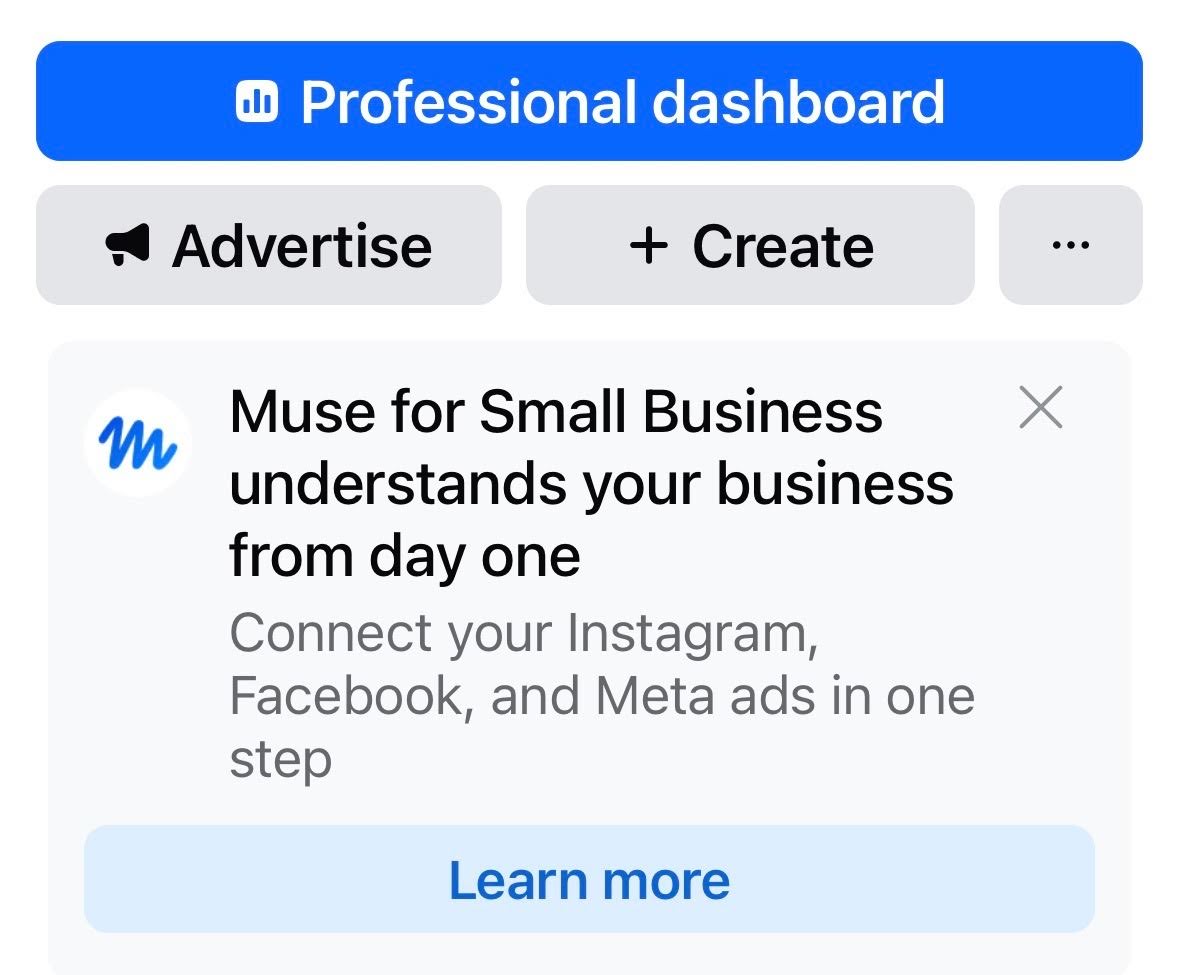
Facebook,10/8/2026
Here’s what’s new:
- It connects to your Meta business accounts. Muse can link your Instagram professional account analytics, Facebook Pages, and Meta ad accounts in a few clicks, so it starts out understanding what you sell, how your brand sounds, and what customers keep asking about.
- It works with tools you already use. Meta lists connectors for Asana, Box, Canva, Dropbox, Figma, Granola, HighLevel, Intuit QuickBooks, Klaviyo, Lovable, Notion, Shopify, Slack, Stripe, and Zoom, plus custom connectors for anything not on the list yet.
- You stay in control. Meta says nothing publishes, sends, or spends money without your approval.
Meta also shared prompts to try, like asking Muse to analyze your year’s sales, campaigns, and social to build a growth plan, sort through your email and calendar when you’re overwhelmed, or review what’s working in your ads and content and draft next week’s campaign.
So what does this mean for you? Muse can now pull from your own numbers and draft plans, posts, and campaign ideas faster than starting from scratch. It still can’t decide who you should be reaching in Ocala, what offer will get the phone ringing, or how Instagram fits next to your website, Google, radio, and TV. That’s where strategy and a human who knows your market will still matter for you.
So do I need to use Muse for my business?
No. It’s definitely optional. Muse is a convenience layer for people who want an AI close to Instagram. It is not a requirement for showing up on Instagram, running ads, or growing a local brand in Ocala or Marion County.
We suggest trying it if you already draft captions, forget to post, or want to research without opening five other apps. Skip it if your bottleneck is strategy or offers, you do not want another connected app, or an agency already handles content and your social media.
Plenty of strong Instagram accounts also never open Muse. Paid ads still need a strategy, with or without Muse. Customers still care more about your offers and consistent posts than which AI drafted the caption. If you hear “You have to use Muse to compete” it is sales pressure, not a platform rule as things currently stand.
Can an agency manage Muse for me?
Muse can now connect to your Meta ad accounts and draft campaigns, but you still approve every dollar, and it doesn’t replace a media plan. Day-to-day Muse use is in account-holder territory, while ad strategy stays with you or your agency. You may not need day-to-day Muse at all. It helps to separate two things people mix up:
Muse (the personal AI agent app): This is account-holder territory. Your login, your connectors, your Chat/Goals/Artifacts habits. An agency can help you decide whether Muse is even worth your time. Day-to-day living inside the Muse app (if you use it at all) stays with the person who owns the Instagram account and phone. DMG is not here to “manage Muse” for creators. We focus on business outcomes like content systems, brand voice, and paid campaigns.
Meta Ads / Instagram campaigns (Ads Manager and related tools): This is where agencies traditionally earn their keep with creative, offers, targeting, budgets, landing pages, tracking, and optimization. Dillon Media Group can run paid social without you opening Muse. Muse can draft campaign ideas, but it does not replace a media plan or someone watching the results.
What an agency typically owns:
- Creative direction and production (stills, Reels, carousels)
- Offer and CTA clarity
- Audience targeting and budget pacing
- Landing pages and conversion paths
- Reporting that ties spend to calls, forms, or booked jobs
What usually stays with you (or your internal team):
- Final approval on brand voice and sensitive posts
- Whether you personally use Muse and its five tabs
- Privacy and connector settings on your accounts
- Community replies you want to sound unmistakably like you
So if the question is “Can DMG help with Instagram without me living in Muse?” the answer is YES. Strategy, content systems, and paid campaigns do not require Muse at all. And you do not need to hire anyone to manage Muse for you.
How to turn off Meta AI features
If you do not want people reusing your content with Meta’s AI features, you can opt out in Instagram. Leaving the setting on allows people to reuse content in ways you may not really like. Path (wording can vary slightly by app version):
- Open your Instagram Profile
- Go to Settings
- Open Share and reuse
- Turn off the toggle that allows people to reuse your content on Instagram and with AI features (or the closest equivalent for Posts/Reels)
Re-check the label on publish day. Instagram moves menu items around. Also review what Muse connectors can read or send on your behalf. An agent that can draft email is helpful.
An agent that can send without your approval is a different conversation. If you connect Instagram and auto-approve drafts, you will eventually publish something that sounds like Generic AI, LLC. Keep a review step to avoid this.
When does an agency still help?
Muse is a powerful assistant, but it is not a marketing department.
An agency is there when you need a content system tied to leads (not just likes), local SEO and AEO thinking, creative that matches your offer, paid Meta campaigns that line up with organic messaging, and someone to say “don’t post that” before your Tuesday special becomes a Wednesday apology.
If Muse drafts faster but your profile still does not say who you serve in Ocala or Marion County, or your cadence collapses every busy season, the bottleneck is the plan, not the tool. Same for ads: Muse will not replace creative testing, budget discipline, or a landing page that answers the phone.
FAQ: Common questions about Muse
Do I need Muse if I already have ChatGPT?
No. ChatGPT (or another general AI) can still draft captions and outlines. Muse’s advantage is living closer to Meta’s ecosystem and Instagram-oriented goals, calendars, and connectors. If your current workflow already works, you do not need a second AI for the sake of it.
Is Muse free?
Everyday use is free for most people. Meta has also talked about subscription tiers for users who want to do more. Confirm current pricing in the app before you plan around a paid tier.
Will Muse post for me without approval?
Meta says nothing publishes, sends, or spends without your approval. Still, treat approval as your job. Even when Muse drafts captions or nudges a calendar, you (or your team) should review before anything goes live, especially offers, prices, and customer-facing claims. Keep connectors and permissions tight so Muse cannot send or post beyond what you intend.
Can Dillon Media Group run my Instagram ads?
Yes. Paid Instagram and Meta campaigns run through ads tools and strategy, not through the Muse app. DMG can own creative, offers, targeting, budgets, and landing pages while you stay optional on Muse.
How do I turn off Meta AI reuse of my content?
Instagram Profile → Settings → Share and reuse → turn off the reuse / AI features toggle (exact wording may vary). More details are in the How to turn off Meta AI features section above.
Does Muse replace a social media manager?
Absolutely not. Muse can speed up your research, drafts, and reminders. A social media manager (or agency) still owns your brand voice, community judgment, creative direction, campaign strategy, and the work of tying posts and ads to your business goals.
Ready for Instagram that supports your business?
Meta Muse Instagram AI is early, loud, and useful enough that knowing what it is helps.
Using it every day is optional. Speed up research, calendars, and drafts if that fits for you. Keep humans on brand voice, privacy, offers, and paid campaigns. Then measure whether posts and ads move the phone.
If you want Instagram and Meta campaigns that bring in local leads (whether or not you ever open Muse), reach out to Dillon Media Group. We’ve been helping Ocala and Marion County businesses show up clearly online for years.
Sources
Instagram for Creators (Sept. 8, 2026).
Meta Newsroom (Sept. 8, 2026; page updated Sept. 30, 2026).
9to5Mac / Sensor Tower (Sept. 30, 2026).
Meta Newsroom (Sept. 29, 2026).